¶ Problem
Blender has an issue on GNOME that won't display the title bar on the main window and any popup window.
¶ Cause
Blender dropped libdecor support and GNOME doesn't support XDG Server Side Decorations.
¶ Solutions
#A - Wait till Blender finishes this fix: https://projects.blender.org/blender/blender/pulls/148350
#B - Use Terminal and launch blender in x11 mode with this cmd :
WAYLAND_DISPLAY="" blender & disown
The disown cmd is used to seperate the application from the Terminal. That way you can close the terminal without clossing the application in question.
#C - Install menulibre (shows as Menu Editor on the app launcher). Edit the Blender entry and add on the command line to force X11 mode:
env WAYLAND_DISPLAY= blender %f
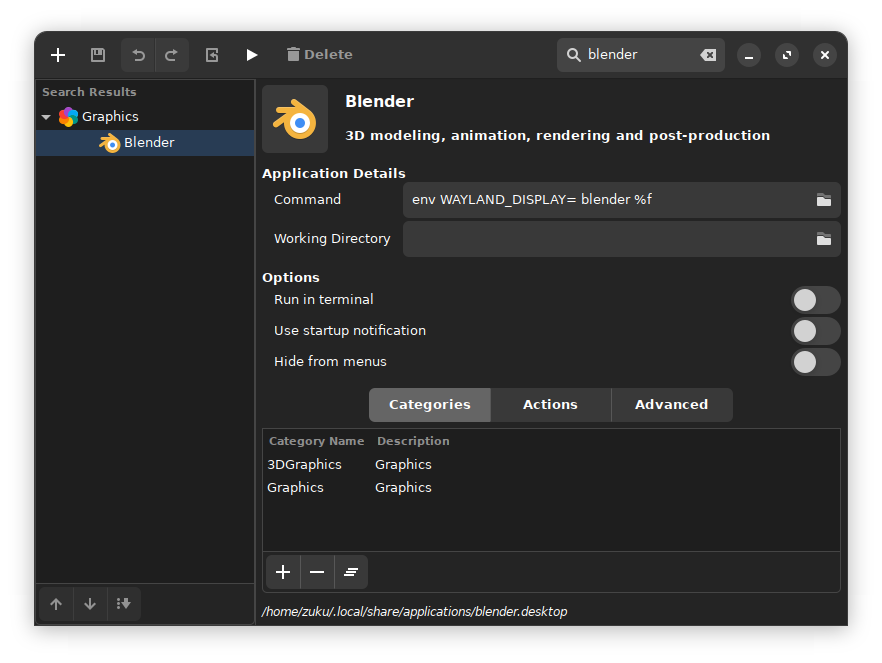
#D - Edit directly the file on : ~/.local/share/applications/blender.desktop with the following:
Exec=env WAYLAND_DISPLAY= blender %f