¶ GNOME Layouts in PikaOS
GNOME Layouts is included by default in PikaOS as part of the system’s desktop customization tools. It allows users to instantly switch between complete GNOME Shell interface styles without manually configuring extensions or modifying system settings. This integration supports the PikaOS goal of providing a flexible and user friendly desktop experience from the moment the system is installed.
¶ Purpose
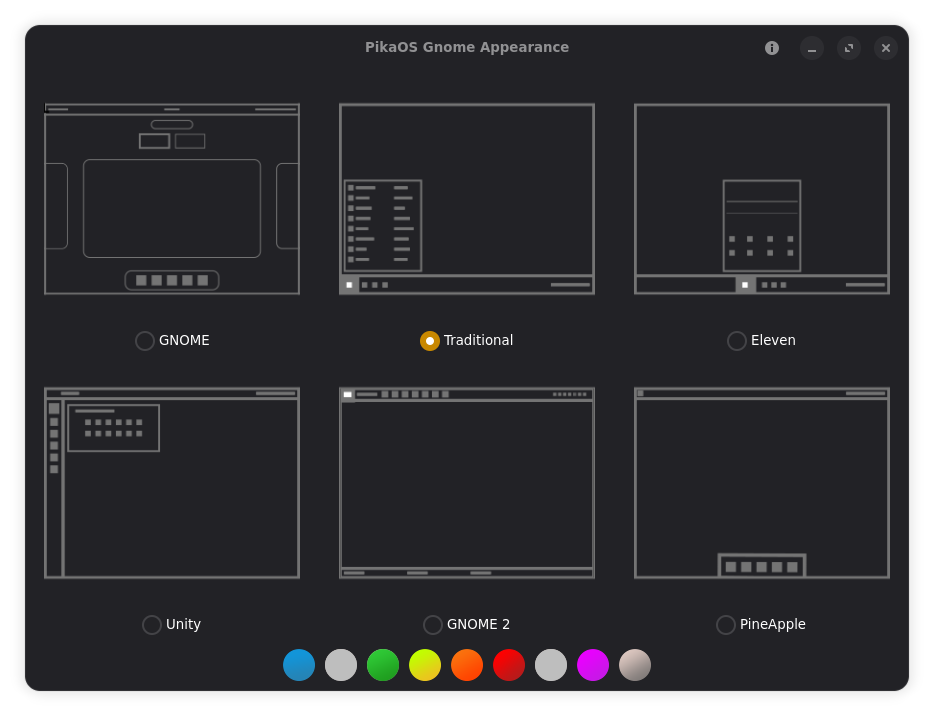
PikaOS includes GNOME Layouts to give users immediate control over how their desktop looks and behaves. Whether someone prefers a Windows style workflow, a macOS inspired layout, a Unity like interface, or a traditional GNOME setup, the tool makes it possible with a single selection.
¶ How It Works in PikaOS
GNOME Layouts is fully integrated into the PikaOS desktop environment. When a layout is selected, the system applies a curated set of GNOME Shell extensions and configuration changes. These adjustments include:
Panel and dock placement
App launcher style
Workspace behavior
Hot corner settings
Extension activation and deactivation
Most changes take effect after a shell reload or logout.
¶ Available Layouts
The exact selection may vary by release, but PikaOS typically includes layouts inspired by:
A Windows style interface with a bottom taskbar
A macOS style interface with a top panel and centered dock
A Unity like interface with a left side dock
A traditional GNOME layout with minimal changes
Additional PikaOS specific layouts designed for productivity or familiarity
Each layout is preconfigured to provide a complete and polished experience.
¶ Why PikaOS Includes It by Default
PikaOS ships GNOME Layouts out of the box for several reasons.
Immediate familiarity
Users coming from Windows or macOS can choose a layout that feels natural right away.
Reduced setup time
There is no need to manually install or configure extensions.
Consistency and reliability
Layouts are tested and maintained as part of the PikaOS ecosystem.
Customization without complexity
Users can experiment freely without worrying about breaking their desktop configuration.
¶ Limitations
Some layouts depend on third party extensions that may require updates after GNOME Shell changes.
Switching layouts may overwrite custom user modifications.
A logout or shell restart may be required for changes to apply.